Details
DRM: Digitales Wasserzeichen
Weitere Details
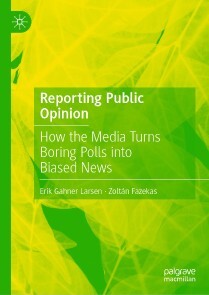
Reporting Public Opinion
eBook - How the Media Turns Boring Polls into Biased News, Political Science and International Studies (R0)
Beschreibung
This book is about how opinion polls are reported in the media. Opinions polls are not reported in the media as unfiltered numbers, and some opinion polls are not reported at all. This volume demonstrates how opinion polls travel through several stages that eventually turn boring numbers into biased news in the media. The framework offered in this book helps to understand how some polls end up in the news coverage, and which systemic biases abound in the news media reports of opinion polls. In the end, a change narrative will be prominent in the reporting of opinion polls which contributes to what the general public sees and shares. The findings cover journalists, politicians, experts and the public, and how they all share a strong preference for change.
Über Erik Gahner Larsen, Zoltán Fazekas
Erik Gahner Larsen is Senior Scientific Adviser at the Conflict Analysis Research Centre, University of Kent, UK. He has conducted multiple research projects on the coverage of opinion polls in the media, and his research has been published in journals such as the British Journal of Political Science and The International Journal of Press/Politics.
Zoltán Fazekas is Associate Professor of Business and Politics, with focus on quantitative methods in the Department of International Economics, Government and Business at the Copenhagen Business School, Denmark. His research is at the intersection of electoral behavior, psychology, and communication; it has been published in the American Journal of Political Science, Political Communication, and the Journal of Communication, among others.
Inhalt
1. Bringing public opinion to the public: from polls to media coverage.- 2. The four steps of poll coverage: creating, selecting, reporting, and responding.- 3. Explaining how media outlets select opinion polls: the role of change.- 4. Characteristics of opinion poll reporting: creating the change narrative.- 5. Reactions and implications: how do the elite and the public respond to polls?.- 6. Alternatives to opinion polls: no polls, vox pop, poll aggregators and social media.- 7. Conclusion: How the media could report opinion polls.
E-Book Informationen
Alle hier erworbenen E-Books können Sie in Ihrem Kundenkonto in die kostenlose PocketBook Cloud laden. Dadurch haben Sie den Vorteil, dass Sie von Ihrem PocketBook E-Reader, Ihrem Smartphone, Tablet und PC jederzeit auf Ihre gekauften und bereits vorhandenen E-Books Zugriff haben.
Um die PocketBook Cloud zu aktivieren, loggen Sie sich bitte in Ihrem Kundenkonto ein und gehen dort in den Bereich „E-Books“. Setzen Sie hier einen Haken bei „Neue E-Book-Käufe automatisch zu meiner Cloud hinzufügen.“. Dadurch wird ein PocketBook Cloud Konto für Sie angelegt. Die Zugangsdaten sind dabei dieselben wie die Ihres Kundenkontos in diesem Webshop.
Weitere Informationen zur PocketBook Cloud finden Sie unter www.meinpocketbook.de.
Allgemeine E-Book-Informationen
E-Books in diesem Webshop können in den Dateiformaten EPUB und PDF vorliegen und können ggf. mit einem Kopierschutz versehen sein. Sie finden die entsprechenden Informationen in der Detailansicht des jeweiligen Titels.
E-Books ohne Kopierschutz oder mit einem digitalen Wasserzeichen können Sie problemlos auf Ihr Gerät übertragen. Sie müssen lediglich die Kompatibilität mit Ihrem Gerät prüfen.
Um E-Books, die mit Adobe DRM geschützt sind, auf Ihr Lesegerät zu übertragen, benötigen Sie zusätzlich eine Adobe ID und die kostenlose Software Adobe® Digital Editions, wo Sie Ihre Adobe ID hinterlegen müssen. Beim Herunterladen eines mit Adobe DRM geschützten E-Books erhalten Sie zunächst eine .acsm-Datei, die Sie in Adobe® Digital Editions öffnen müssen. Durch diesen Prozess wird das E-Book mit Ihrer Adobe-ID verknüpft und in Adobe® Digital Editions geöffnet.
Bei E-Books die mit Readium LCP geschützt sind erscheint bei dem ersten Öffnen auf ihrem Reader ein Hinweisfenster mit der Aufforderung ein Passwort einzugeben. Gleichzeitig öffnet sich ein Infofeld in dem das Passwort steht. Tragen Sie dieses Passwort in das Eingabefeld ein und bestätigen Sie die Eingabe. Danach öffnet sich das E-Book automatisch. Um E-Books, die mit Readium LCP geschützt sind, auf einem Tablet/Laptop/Smartphone lesen zu können, benötigen Sie ein Programm, das in der Lage ist, mit diesem Kopierschutz umzugehen. Das ist z.B. der Thorium Reader (Windows, Mac, Linux) oder die PocketBook App (iOS, Android). Fügen Sie das heruntergeladene E-Book in das Programm ein. Bei dem ersten Öffnen erscheint ein Hinweisfenster mit der Aufforderung ein Passwort einzugeben. Gleichzeitig öffnet sich ein Infofeld in dem das Passwort steht. Tragen Sie dieses Passwort in das Eingabefeld ein und bestätigen Sie die Eingabe. Danach öffnet sich das E-Book automatisch.